When you try to log in to your Facebook account you get a message saying Incorrect Email/Password Combination. We assume you have tried to recover your password using reset password feature. If not, click here to give it a try. If this won’t work there are good chances that your account has been hacked.
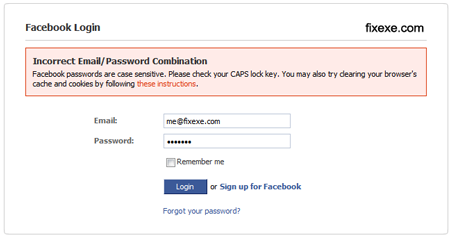
Follow these steps to recover your hacked Facebook account:
(link updated on September 17th)
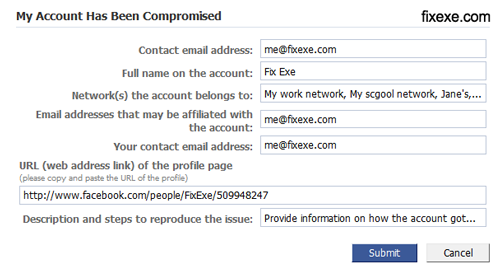
- Contact email address: enter your email address, if possible the same email you have registered account with
- Full name on the account: enter your full name on the account so they will be able to verify application
- Network(s) the account belongs to: try provide as many possible networks, including school, work network,…
- Email addresses that may be affiliated with the account: enter the same email you have created Facebook account with
- Your contact email address: use same email as you entered for step #2
- URL (web address link) of the profile page: simply copy/paste URL of your profile

- Description and steps to reproduce the issue: describe how your account got hacked/stolen, try to provide as many additional information as possible
- Submit “My Account Has Been Compromised” form
You will receive a reply shortly after Facebook staff review your application.

Recent Comments