Most of us would have surely had an experience of having lost our data at some time or the other. It could have been a personal file that had got deleted from the hard disk or our very important office file that has got recover deleted pictures from the USB drive or any memory device.
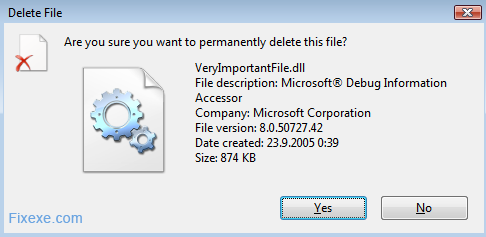
Now with the help of the disk digger software these deleted files can be recovered. DiskDigger is a free portable app that helps us to recover any type of lost file whether its an image, document, video or a data file.
 DiskDigger (624.0 KiB, 12,175 downloads)
To recover your lost files download and run DiskDigger.
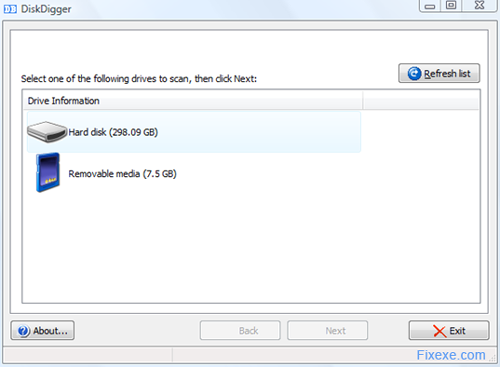
In order to retrieve the files, we would have to initially run the executable file of the disk digger software. Once we do so, the software will detect a list of internal and external drives. The next step will be to select the drive in which we’d like to find the deleted or lost files. Once we select we go on to the next step where we need to select the type of files that we want to search.
Here we have a huge list, with file types and we need to select from this. Say we need to search for a word document that we misplaced, and then we select the MS Word Document. This way we can speed up the entire recovery process. But if we want to recover all the files on a drive then we can say search for all files and this way all the files on a particular drive will be recovered.
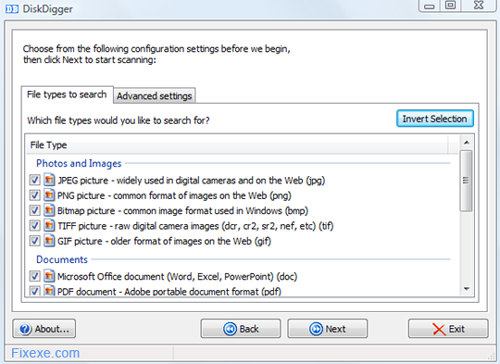
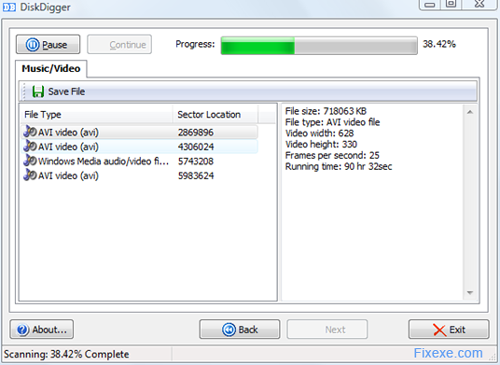
Under this tab, there is also an advanced settings tab where we can choose whether we want to skip the bad sectors. Here we can also select the position of the drive from where we’d like to start our recovery from. Once we’ve selected this, we need to click next which will initiate the recovery process. The process can be paused or cancelled at anytime. The uniqueness of this software is that it’s simple to use and very user-friendly. We can easily view the files that are being recovered. Each file that is being recovered is differentiated depending on their file type like images, A/V files and documents.
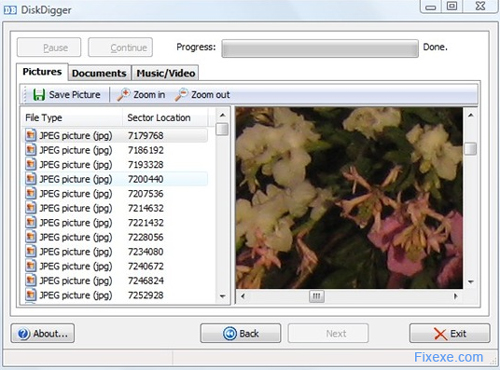
These files that are recovered need to be viewed one by one and then we can save them to the concerned disk or drive.

God Bless! super duper Thank you…
I’m so happy to have my USB files back…specially my photos…Thank you very much
Thank you.Thank you.Thank you.Thank you.Thank you.Thank you.Thank you.Thank you.Thank you.Thank you.Thank you.Thank you.Thank you.Thank you.Thank you.Thank you.Thank you.Thank you.Thank you.Thank you.Thank you.Thank you.Thank you.Thank you.Thank you.Thank you.Thank you.Thank you.Thank you
You saved my life.THIS REALLY DOES WORK
do you have to save each file individuality? Or is there a select all option? I’m recovering my whole HDD and need to save everything, thanks.
thanx a lot..
Damn….now i found this site…nice work….good job…well done..
Great Tool!!!
hii. thank you THANK YOU THANK YOU THANK YOU SO SO SO SO MUCHHHHHHHHHHHH.
BEST OF ALL, we dont need to install it , so it runs on my college computers.
i love it
I am sooooooo thankful for this tool. I almost lost photos that means much to me. From now on I will always make a backup disc.
I am so happy I got my photos recovered.
Thank you! It worked nicely. And free software is the best!
This tool worked like a charm!… I didn’t get all files back, but most of them!
you guys rock!!!! I managed to get my lost photos back!