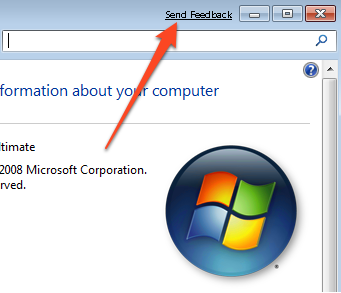
In Windows 7, when you open a window you get a Send Feedback link appearing in the Title Bar. This might be annoying if you are regularly opening multiple windows. Here’s how to get rid of it in beta or RC version of Windows 7.
- Open the Notepad or any other text editor.
- In the notepad, copy and paste the following text:
Windows Registry Editor Version 5.00

[HKEY_CURRENT_USER\Control Panel\Desktop]

“FeedbackToolEnabled”=dword:00000000
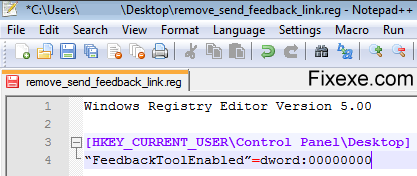
Now save the text document as remove_send_feedback_link.reg.

You have to now merge the new file into the registry. For this purpose, double-click the file. You will get a UAC prompt and you have to continue through it to confirm that you want to perform the action. Log-off from your account and then login again.
Next time you open a window, you will notice that the Send Feedback link is absent.

remove WGA feedback
I hope they exclude this feedback button in final version of Windows 7.
Thank you guys, I managed to remove this annoying send feedback link.