Would you like to recover forgotten password for a site or forum. We will show you how to recover saved passwords from Mozilla’s Firefox.
Once Firefox is running follow these simple steps:
- navigate to tools and click on options
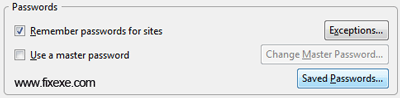
- click on security tab, placed on the top
- click on the button named “saved passwords“
- make sure you click “show passwords” button
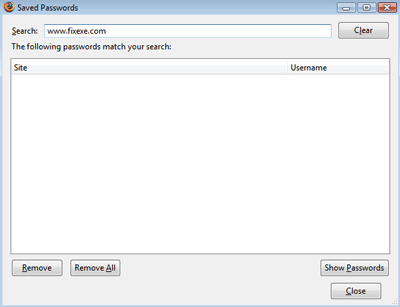
Now you will be able to see all stored username and password details.

this was easy one, when I thought my password is lost :)