If you’ve just recently upgraded to Windows 7 or you’re confused by the new operating system, here are some tips and tricks to help you use Windows 7.
#1 – Defragging Your Hard Drive
We help you repair Windows, software, internet and fix other computer annoyances.
If you’ve just recently upgraded to Windows 7 or you’re confused by the new operating system, here are some tips and tricks to help you use Windows 7.
#1 – Defragging Your Hard Drive
A ISO file is basically a archive file, it’s also known as cd/dvd/disc images, it’s basically the same concept as .rar files, you can compress them all into a ISO and then burn it to a disc, there are loads of reasons we use ISOs to burn things directly to CDs. For example, if you wanted to install Ubuntu Linux, you’d need the operating system on a disk, so you’d download the ISO and then burn it to a disc to install it, that’s an every day example of ISO’s being used.
It honestly is really, really learn to learn How To Burn A ISO File With Windows 7, thanks to Windows 7, it makes the whole burning process a lot easier and quicker, it just takes a couple of steps to get it burning. You’re obviously going to need a disc to burn the ISO tool and the ISO file, that’s all you need, obviously you need to be running Windows 7 to follow this How To.
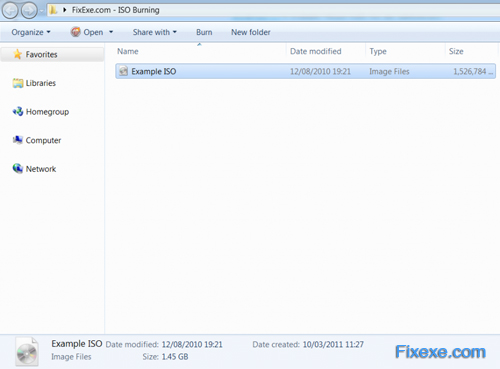
Step 1) First you need to locate the ISO file you wish to burn on to a CD/DVD.
[Read more…]
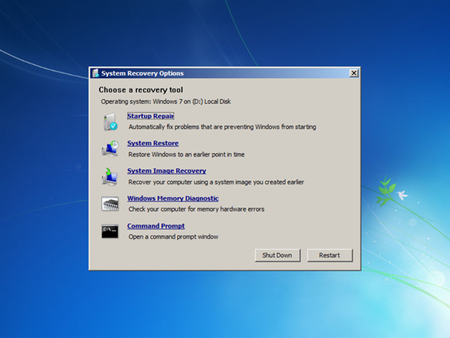
Windows XP had a recovery console and it was very useful. It allowed you to repair the master boot record, repair boot sectors and more useful tasks. Windows Vista automated the recovery console and Windows 7 followed. The automation did not always work though. Luckily, Windows 7 does have a recovery console but it is very well hidden.
[Read more…]
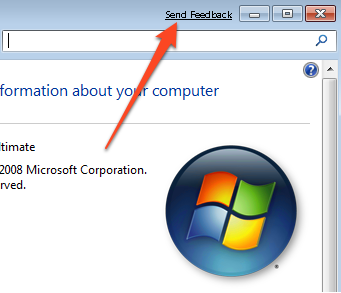
In Windows 7, when you open a window you get a Send Feedback link appearing in the Title Bar. This might be annoying if you are regularly opening multiple windows. Here’s how to get rid of it in beta or RC version of Windows 7.
[Read more…]

Recent Comments